
The Power of Smartphone Camera Portrait Mode: Unleash Stunning Photos
In today’s world, smartphone cameras have evolved tremendously, and one feature that stands out is portrait mode. It has become a game-changer for capturing photos that look like they belong in a professional studio. Whether you’re snapping a picture of a friend, a pet, or a scenic view, portrait mode brings a sense of depth and artistry to your photos.
But how does it work, and why should you use it? In this article, we’ll dive into the technology behind portrait mode, its benefits, tips for using it effectively, and how it can transform your photography.
What is Portrait Mode on a Smartphone?
Portrait mode is a camera setting that mimics the effect of a professional camera lens to create a shallow depth of field, which blurs the background and makes the subject in focus appear crisper and more prominent. It’s like having a DSLR camera effect right in your pocket!
The key feature here is the bokeh effect, where the background blurs in a soft, aesthetically pleasing way, making your subject stand out. This makes portrait photos look artistic, giving them a natural, yet polished finish.
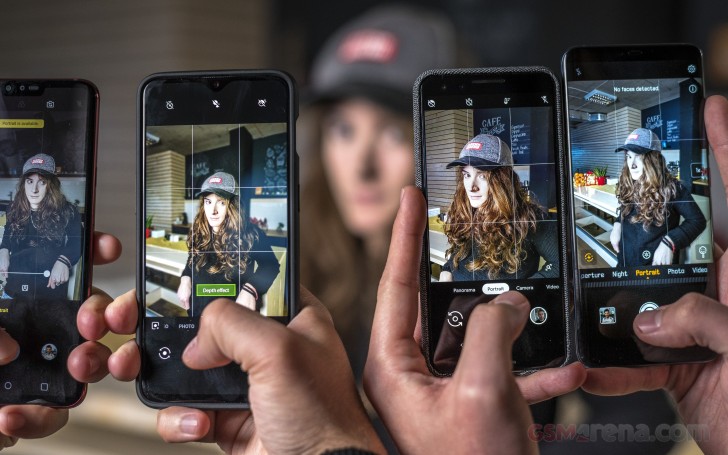
How Does Portrait Mode Work?
The Magic Behind the Lens
Smartphone cameras use multiple lenses, sensors, and software algorithms to achieve the portrait effect. Older smartphones relied on a single lens, which created a blur effect using software processing. However, newer devices now include dual or triple camera setups. These additional lenses allow for better depth sensing, improving the accuracy and quality of the portrait effect.
Most smartphones with portrait mode use machine learning algorithms to detect the subject (usually a face) and apply the blur only to the background. This ensures the subject remains in sharp focus while the background gets that lovely, blurred effect.
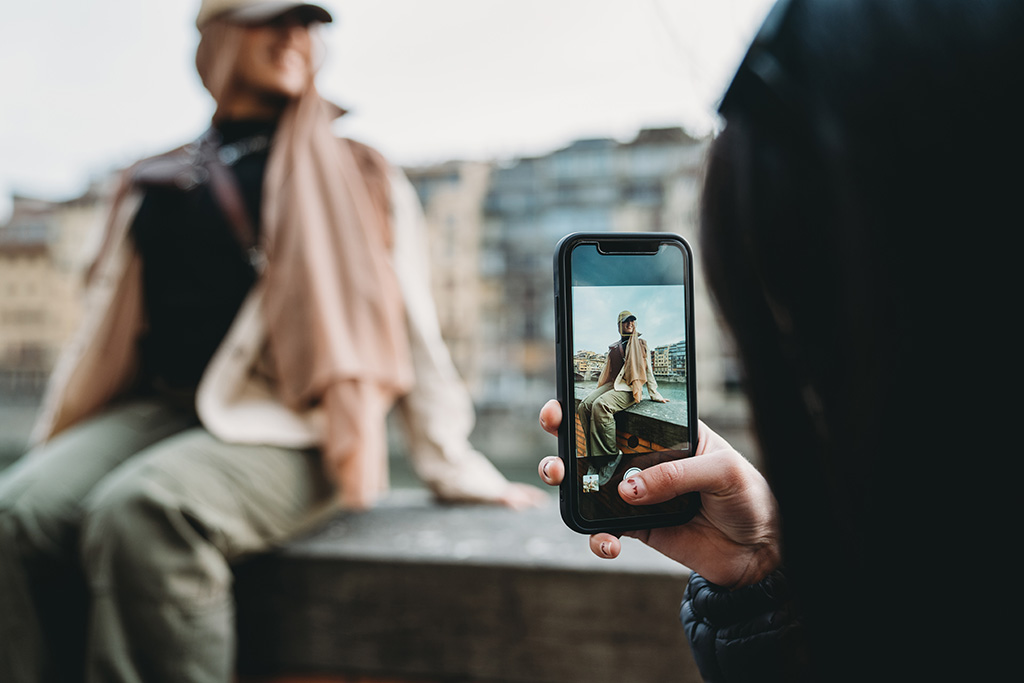
Advanced Depth Sensors
Many smartphones also come with LiDAR (Light Detection and Ranging) sensors, which enhance the depth-sensing ability. LiDAR works by emitting light and measuring the time it takes for the light to bounce back. This gives the camera more accurate depth data and results in sharper portrait mode photos, especially in low-light conditions.
Why Should You Use Portrait Mode?
1. Enhanced Visual Appeal
The primary reason people love portrait mode is its ability to create professional-looking photos with minimal effort. It helps separate the subject from the background, making your photos feel more artistic and visually striking. Whether it’s a close-up portrait or a full-body shot, portrait mode gives the image a unique, cinematic quality.
2. Better Focus on Subjects
With portrait mode, the subject stands out in crystal-clear focus while the background fades away. This is especially useful for people photos, where you want to emphasize the person without distractions from the environment. The blurred background draws the viewer’s attention straight to the subject.
3. Bokeh Effect
The background blur created by portrait mode, often referred to as bokeh, gives your images a soft, dream-like quality. This feature was once exclusive to DSLR cameras with large aperture lenses, but now you can enjoy it on your smartphone. It adds a level of sophistication to any shot.
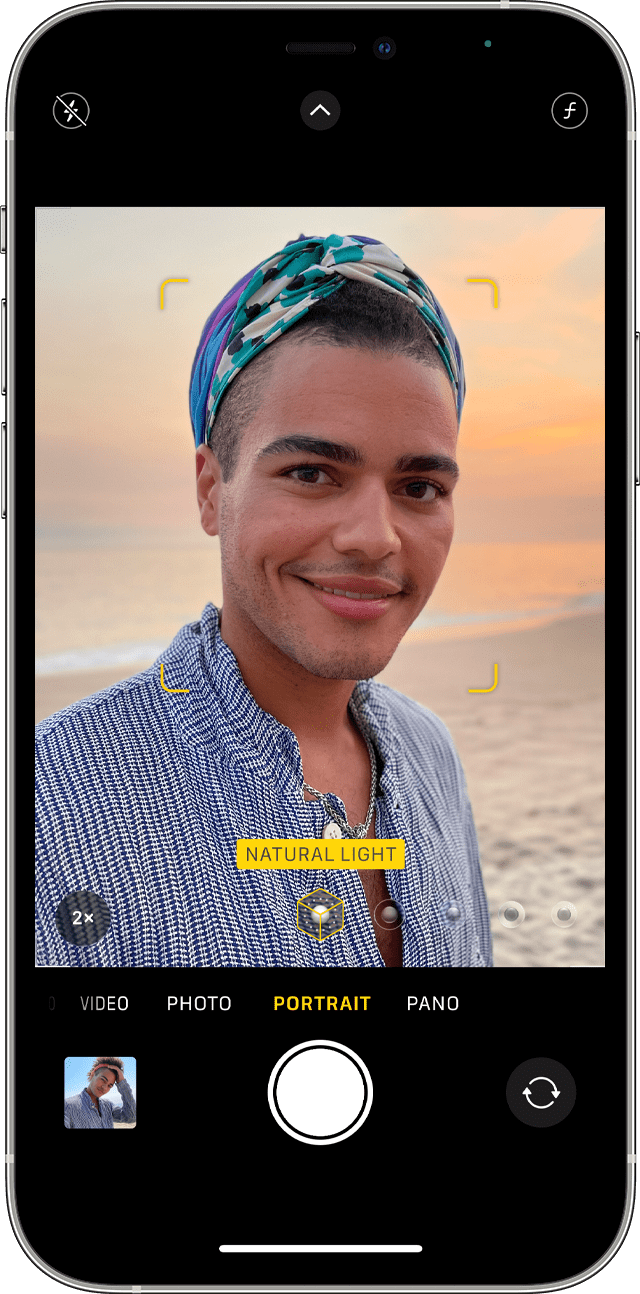
4. Easily Capture Stunning Portraits
Portrait mode allows even beginners to take great-looking photos with little skill. The camera’s automatic detection and focus adjustment make sure your subject is always highlighted perfectly. You no longer need to worry about getting the right settings, and you can focus on enjoying the moment.
How to Get the Best Results from Portrait Mode
1. Lighting is Key
Lighting plays a significant role in getting the best portrait shot. Natural lighting is always preferred, so try to shoot outdoors or near a window. When shooting indoors, make sure the lighting isn’t too harsh. Good lighting will help the camera’s sensors detect depth and focus more accurately.
2. Keep Your Subject in Focus
While portrait mode is great at detecting faces, it works best when the subject is well-lit and not obstructed. Make sure your subject is within the frame and clearly visible. You can tap on the screen to focus the camera on a particular point.
3. Experiment with Backgrounds
Although portrait mode blurs the background, experimenting with different backgrounds can elevate the shot. Look for simple, non-distracting backgrounds to ensure the subject stands out. You can also play around with natural elements like trees, flowers, or even cityscapes to add texture to your portraits.
4. Use Editing Tools
Many smartphones allow you to adjust the intensity of the blur effect after taking the photo. You can even change the shape of the bokeh or switch to different lighting effects, such as studio light or contour light, to enhance your photo’s mood. Take advantage of these editing tools to perfect your portrait shots.
Portrait Mode Across Different Smartphones
Not all smartphones have the same portrait mode capabilities. The quality of portrait photos depends on factors like the number of camera lenses, the quality of the sensor, and the software optimizations made by the phone manufacturer.
iPhone Portrait Mode
Apple has been a leader in portrait photography since it introduced the feature with the iPhone 7 Plus. The newer models, such as the iPhone 14 Pro, take portrait mode to the next level with advanced LiDAR sensors and multiple lens setups, allowing for greater precision and better performance in low light.
Samsung Portrait Mode
Samsung smartphones like the Galaxy S21 and S22 offer excellent portrait photography, thanks to their dual-camera systems. The software behind Samsung’s portrait mode provides various modes like Live Focus, which lets you adjust the level of blur before or after taking the photo.
Google Pixel Portrait Mode
Google’s Pixel series has a fantastic reputation for computational photography. The Pixel phones rely heavily on AI-driven algorithms to create bokeh effects, and despite only having a single rear camera, they deliver stunning portrait results.
Common Issues with Portrait Mode and How to Fix Them
1. Blurred Faces
Sometimes, portrait mode can mistakenly blur the face or edges of your subject, especially if there’s poor lighting or if the subject moves too much. To fix this, ensure your subject is well-lit and stays still. You can also tap on the screen to focus on the face before snapping the shot.
2. Inaccurate Background Blur
In some cases, portrait mode may not blur the background evenly. To resolve this, adjust your position relative to the subject and the background. Make sure there is enough distance between the subject and the background to achieve a smooth blur effect.
FAQ: Everything You Need to Know About Smartphone Portrait Mode
What phones have the best portrait mode?
Some of the best phones for portrait photography include the iPhone 14 Pro, Samsung Galaxy S22 Ultra, and Google Pixel 6 Pro. These devices offer advanced camera systems that excel in portrait mode.
Can I use portrait mode for non-human subjects?
Absolutely! Portrait mode works wonders for pets, objects, and nature shots. As long as the camera can detect the subject, it can create that beautiful background blur.
Does portrait mode work in low light?
Yes, portrait mode can work in low light, but the results may not be as sharp or clean as in well-lit conditions. Using phones with LiDAR sensors or advanced night modes can help improve performance in these situations.
Can I edit portrait photos after taking them?
Yes! Most smartphones let you adjust the intensity of the blur, change lighting effects, and even refocus the subject after the photo is taken.
Conclusion: Portrait Mode is a Must-Have Feature for Smartphone Photography
In conclusion, portrait mode has revolutionized how we take photos with our smartphones. It provides a simple way to capture professional-quality portraits without needing fancy equipment. With some practice and attention to detail, you can create stunning, artistic shots that rival those taken by professional photographers.
So, next time you want to capture a memorable moment, make sure to use your smartphone’s portrait mode. It’s not just about looking good; it’s about feeling great when you see your photos shine with beautiful depth and clarity!
Related Articles: