
Smartphone Battery Optimization Review: Enhance Your Device’s Longevity
In a world where smartphones are an integral part of daily life, battery life remains one of the most important features. A device’s battery performance directly impacts how long it can be used on a single charge. Smartphone battery optimization helps improve the device’s efficiency, leading to better performance and prolonged battery health. In this review, we’ll explore the best methods, tips, and apps for smartphone battery optimization to help you get the most out of your device.
Why Battery Optimization Matters
Battery optimization plays a crucial role in maintaining your phone’s health and ensuring it performs at its best. As apps run in the background and heavy usage takes a toll on your battery, optimization can help reduce unnecessary drain, making your device last longer and work more efficiently. By managing power consumption, you can enjoy a longer battery life, reducing the need for frequent charges.
Key Benefits of Battery Optimization:
-
Improved battery life – Reduce unnecessary drain and extend battery longevity.
-
Enhanced performance – Optimize apps and background processes to make your phone faster.
-
Reduced overheating – Prevent excessive heat caused by power-hungry apps.
-
Fewer charge cycles – Minimize the number of times you need to recharge, prolonging the battery’s overall lifespan.
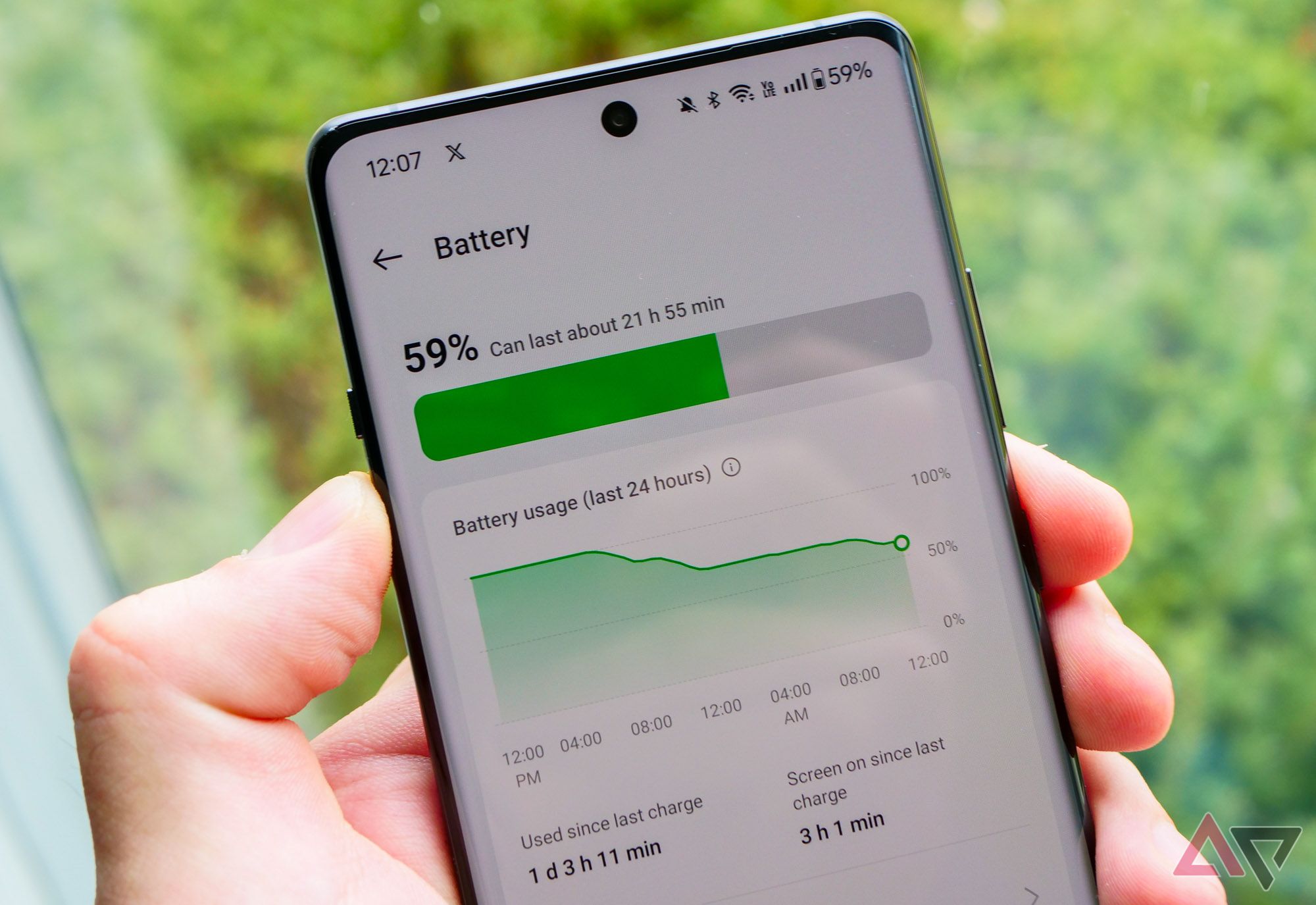
Best Smartphone Battery Optimization Tips
To help you maximize your phone’s battery performance, here are some of the top battery optimization tips you should incorporate into your daily routine:
1. Manage Battery-Hungry Apps
Some apps tend to use up more battery power than others. Apps like social media, streaming services, or games can drain your battery quickly if not managed properly. To optimize battery life:
-
Go to your phone’s battery settings to check which apps consume the most power.
-
Disable unnecessary background apps or set apps to update only when used.
-
Uninstall or limit apps that are not essential.
2. Enable Power-Saving Modes
Many smartphones come with built-in power-saving modes that reduce background activity, lower screen brightness, and limit app updates. Activating this feature helps prolong battery life, especially when your battery is running low.
-
Low Power Mode (for iPhones) or Battery Saver (for Android devices) can help you get through the day when you need extra juice.
-
These modes often limit some functionalities like background app refresh or push notifications, but they’re ideal when you need to conserve battery.
3. Optimize Screen Brightness and Timeout
The display is one of the most power-hungry components of a smartphone. Reducing screen brightness can significantly improve battery life. Here’s what you can do:
-
Lower screen brightness or enable adaptive brightness, which automatically adjusts based on your environment.
-
Reduce screen timeout to limit the amount of time your phone stays lit when not in use.
4. Turn Off Unnecessary Connections
When you’re not using features like Bluetooth, Wi-Fi, or mobile data, turn them off to save battery.
-
Wi-Fi and Bluetooth consume battery when left on, even if you’re not connected to anything.
-
Location services can also be a drain on your battery, so disable them when they’re not needed.
5. Use Dark Mode
Most modern smartphones offer dark mode as an option. Using dark mode not only reduces eye strain but also saves battery life, especially on OLED screens, where black pixels are turned off to conserve power.
-
Enable dark mode for apps like social media, email, and system-wide settings to save energy.
6. Regularly Update Your Phone’s Software
Software updates often include bug fixes and performance improvements that can optimize battery performance. Ensure your device is running the latest version of the operating system to benefit from these enhancements.
-
Regular updates often address issues such as battery-draining bugs and other performance-related problems.

Smartphone Battery Optimization Apps
There are several apps available that can help you optimize battery life by monitoring and managing power usage. Here are some of the best apps to help you boost your phone’s battery performance:
1. Greenify
Greenify is a well-known app that helps manage background apps and optimize battery consumption. It helps by hibernating apps that are consuming power unnecessarily, saving your battery.
-
Greenify works by putting apps into hibernate mode so they stop running in the background when not in use.
-
It offers manual or automatic app hibernation, giving you more control over your battery usage.
2. AccuBattery
AccuBattery helps track battery health and monitor charging habits. This app shows you how much battery you are using and provides tips for charging habits that extend battery life.
-
It also gives you an estimate of the battery capacity and helps identify apps that consume excessive energy.
-
AccuBattery also tracks the wear and tear on your battery over time.
3. GSam Battery Monitor
GSam Battery Monitor provides detailed information about battery usage and helps you understand which apps are consuming the most power.
-
The app allows you to analyze battery stats and provides insights into your phone’s performance.
-
It offers features like wake locks monitoring, which helps identify apps that prevent the phone from entering sleep mode.
4. Battery Doctor
Battery Doctor is an app that can help optimize battery life by identifying power-hungry apps and providing charging tips.
-
It offers features like battery saver mode and a charging optimizer that helps prolong the lifespan of your phone’s battery.
Impact of OS on Battery Life
One common question many users have is whether the operating system (OS) affects battery life. The short answer is yes, it does. Each OS has its own method of managing background processes and power consumption.
iOS vs. Android Battery Management
-
iOS is known for its efficient battery management, ensuring that apps are not overusing resources in the background. iPhones have well-optimized background refresh settings and can reduce the impact of power-hungry apps.
-
Android, on the other hand, offers more flexibility, allowing users to manually adjust settings such as battery saver modes and app-specific power management. However, some manufacturers may add their own customizations that affect battery usage, both positively and negatively.
Smartphone Battery Life: Myths vs. Facts
Myth: Charging Your Phone Overnight Will Damage the Battery
Fact: Modern smartphones are equipped with advanced charging technologies that prevent overcharging. Charging overnight is generally safe and will not damage the battery.
Myth: More Apps Running in the Background Will Drain Battery Fast
Fact: While background apps can drain power, modern OS versions, such as iOS 16 and Android 13, are designed to efficiently manage background processes, reducing their impact on battery life.
FAQs
1. How can I make my smartphone battery last longer?
To make your smartphone battery last longer, manage background apps, reduce screen brightness, enable power-saving modes, and turn off unnecessary connections like Bluetooth and Wi-Fi when not in use.
2. Should I use a battery optimization app?
Yes, battery optimization apps like Greenify, AccuBattery, and GSam Battery Monitor can help you monitor and manage power consumption, ultimately improving battery life.
3. Does dark mode help save battery life?
Yes, dark mode can help save battery life, especially on OLED and AMOLED screens, by turning off pixels and reducing power consumption.
4. What is the best smartphone for battery life?
Some smartphones known for excellent battery life include the OnePlus 12R, Samsung Galaxy S23, and Xiaomi 13 Pro. These devices feature large batteries and battery optimization software for long-lasting performance.

Conclusion
Optimizing your smartphone’s battery is essential for ensuring its longevity and improving performance. With the right settings, apps, and tips, you can significantly extend your battery life. Whether you’re using power-saving modes, managing apps, or adjusting your settings, small changes can lead to a noticeable improvement. Start implementing these battery optimization strategies today to get the most out of your smartphone.