
Smartphone Battery Standby Time: Maximizing Longevity for Your Device
In today’s fast-paced world, smartphones are essential for staying connected, working, and having fun. However, one of the most frustrating issues users face is battery life. Whether you’re traveling, working, or simply using your phone for entertainment, knowing how to manage your smartphone’s battery standby time can make a huge difference.
This article will explore how to maximize battery standby time, the factors that affect it, and the top strategies you can implement to get the most out of your device. Let’s dive into understanding this crucial aspect of smartphone performance.
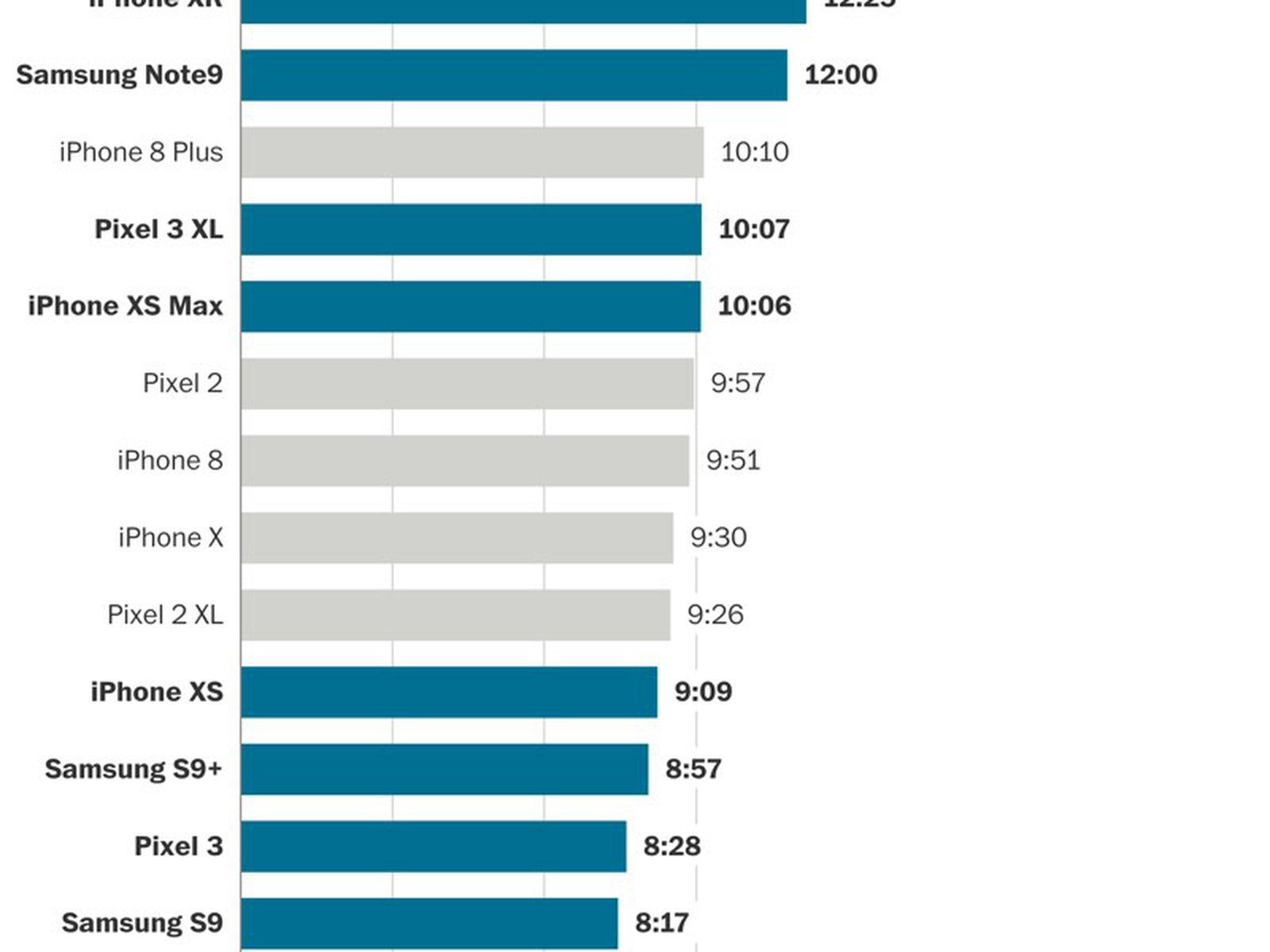
(Image: Smartphone battery life test)
What is Battery Standby Time?
Battery standby time refers to how long your smartphone’s battery lasts when it’s not actively being used. This period can vary depending on factors like network usage, apps running in the background, and your phone’s settings. Ideally, you want your smartphone to last for several hours (or even days) while idle, so it’s ready when you need it.
Factors That Impact Battery Standby Time
Several factors influence how long your smartphone’s battery lasts on standby:
-
Network Connectivity: Whether your phone is connected to Wi-Fi or mobile data can significantly affect battery usage. Poor network conditions or constant switching between networks can drain the battery faster.
-
Background Apps: Apps that continue running in the background, such as social media, email, and messaging apps, can consume battery even when you’re not actively using your device.
-
Battery Health: Over time, the battery’s health declines. An old or damaged battery will struggle to hold a charge, which affects both standby time and usage time.
-
Display Brightness: Keeping the display brightness high can also reduce standby time, even if the phone isn’t being used.
How to Maximize Smartphone Battery Standby Time
To ensure your smartphone’s battery lasts longer, follow these practical tips:
1. Turn on Battery Saver Mode
Most modern smartphones come with a built-in battery saver mode that limits background activities and reduces power consumption. This is an excellent way to extend standby time, especially when you’re not using your phone actively.
-
Android: Navigate to Settings > Battery > Battery Saver and enable it.
-
iPhone: Go to Settings > Battery and activate Low Power Mode.
2. Disable Unnecessary Connectivity
Constantly being connected to the internet or other devices can drain your battery. Turning off features like Wi-Fi, Bluetooth, or GPS when they are not needed can save battery life.
-
Turn off Wi-Fi when not near a network.
-
Disable Bluetooth if you aren’t using any Bluetooth accessories.
-
Switch off Location Services unless you require them for navigation.
3. Control Background Apps
Apps running in the background consume power even if you aren’t actively using them. Check your phone’s settings to limit the background activity of non-essential apps.
-
On Android, go to Settings > Apps > [App Name] > Battery to restrict background activity.
-
On iPhone, navigate to Settings > General > Background App Refresh and toggle off unnecessary apps.
4. Adjust Screen Brightness and Timeout
The screen is one of the biggest battery-draining components of your smartphone. Adjusting the brightness and setting an appropriate screen timeout can significantly extend standby time.
-
Set your screen brightness to auto, so it adjusts according to ambient light conditions.
-
Shorten the screen timeout (the duration your screen stays on when not in use) to conserve energy.
5. Use Dark Mode
Many modern smartphones feature Dark Mode, which reduces battery usage by lowering the brightness of the display, especially on OLED screens. This can be particularly effective in apps that are mostly dark, like social media or reading apps.
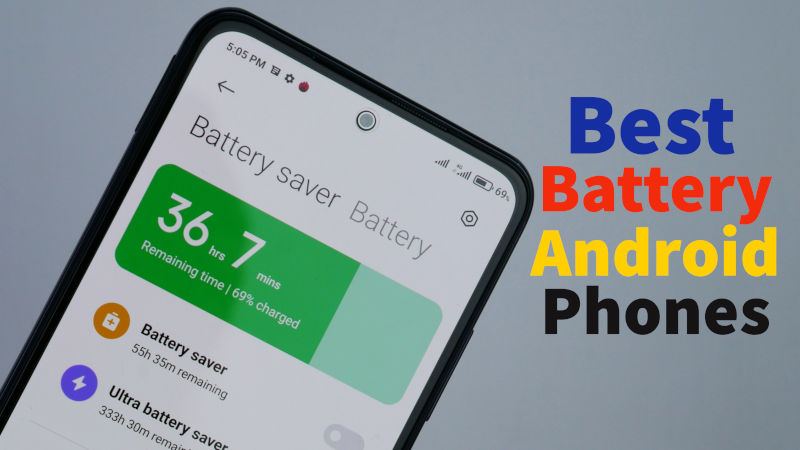
(Image: Best battery life phones of 2021)
6. Keep Your Software Up to Date
Smartphone manufacturers often release software updates that improve power efficiency. These updates may include bug fixes that address excessive battery drain and enhance standby time.
-
Make sure you have the latest updates installed by going to Settings > Software Update on Android or Settings > General > Software Update on iPhone.
7. Manage Push Notifications
Push notifications keep your apps updated in real-time, but they can also use up power. Managing or turning off push notifications for non-essential apps can help extend battery life.
-
On Android, go to Settings > Apps & notifications > Notifications to manage your notification settings.
-
On iPhone, go to Settings > Notifications to customize or disable notifications.
Best Smartphones for Battery Standby Time
Some smartphones are designed to excel in battery life, offering longer standby times compared to others. If battery life is crucial for you, here are some of the top models to consider:
1. iPhone 15 Pro Max
The iPhone 15 Pro Max is a powerhouse when it comes to both performance and battery life. With a large battery and software optimization, it can easily last through a whole day of use with some juice to spare for standby time.
-
Standby Time: Up to 15 days in ideal conditions.
2. Samsung Galaxy S23 Ultra
Samsung’s Galaxy S23 Ultra features a robust 5000mAh battery, ensuring it can last long during the day and extend into the night. With optimized power-saving features, it also offers impressive standby time.
-
Standby Time: Up to 14 days.
3. Google Pixel 7 Pro
The Google Pixel 7 Pro is known for its AI-driven battery optimizations. It intelligently adjusts performance to reduce unnecessary power consumption, maximizing standby time.
-
Standby Time: Up to 14 days.
4. OnePlus 11
OnePlus has long been known for offering high-performance smartphones with great battery life. The OnePlus 11 doesn’t disappoint, with an excellent 5000mAh battery that provides significant standby time.
-
Standby Time: Up to 12 days.
5. Xiaomi Mi 11
Xiaomi’s Mi 11 strikes a balance between performance and battery efficiency. With a solid 4600mAh battery, it’s designed to provide great standby time even under moderate usage.
-
Standby Time: Up to 10 days.
FAQs About Smartphone Battery Standby Time
1. What is the difference between battery life and standby time?
-
Battery life refers to how long your phone lasts while you’re actively using it (e.g., talking, browsing, gaming).
-
Standby time refers to how long your phone lasts while it’s idle or not being actively used.
2. How can I improve my smartphone’s standby time?
To improve standby time, you should turn on battery saver mode, limit background apps, turn off unnecessary connectivity, and lower screen brightness.
3. Does using power-hungry apps affect standby time?
Yes, using apps that consume a lot of energy, like games and streaming services, can significantly reduce your phone’s standby time.
4. Can I extend the standby time of my phone without affecting its performance?
Yes, using battery-saving features, reducing background processes, and managing screen settings can extend standby time without significantly affecting your phone’s performance.
Conclusion
Maximizing your smartphone’s battery standby time is essential for getting the most out of your device, especially during travel or long days without access to a charger. By following the tips outlined in this article, you can extend your device’s battery life, ensuring that it stays ready when you need it most. Whether you’re using a high-end smartphone or a budget-friendly model, managing standby time is key to keeping your device functional throughout the day.
By making a few adjustments to your settings and habits, you can optimize your smartphone’s battery life and standby time, ensuring it lasts longer between charges. Happy optimizing!