
Understanding Smartphone Camera Video Resolution: A Guide for 2025
In today’s world, smartphone cameras are more powerful than ever. One of the most crucial aspects of smartphone camera performance is video resolution. Whether you’re recording a family event, capturing moments for social media, or creating content for professional use, understanding video resolution can significantly impact the quality of your footage.
In this article, we’ll dive into the importance of video resolution, explain the different options available, and offer tips on how to make the most of your smartphone’s camera capabilities. Let’s explore how video resolution can transform your recording experience.
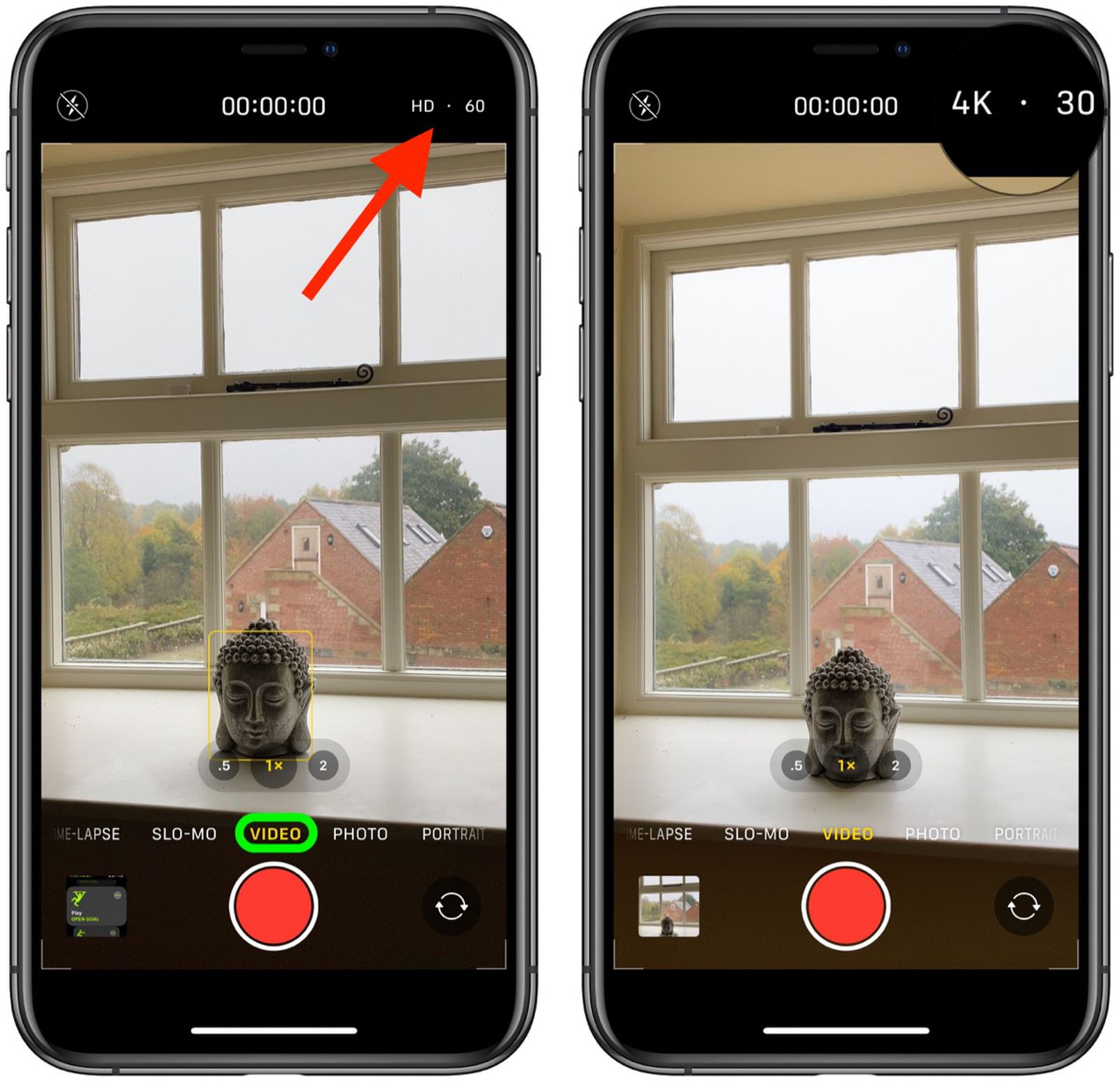
What is Video Resolution?
Video resolution refers to the number of pixels that make up the video image. A higher resolution means more pixels, which leads to a sharper, clearer image. When it comes to smartphone cameras, the most common video resolutions you’ll encounter include:
-
720p (HD): Standard high definition.
-
1080p (Full HD): Common resolution for clear video.
-
1440p (Quad HD): Higher clarity, often found in premium smartphones.
-
2160p (4K): Ultra high definition, offering exceptional detail.
-
8K: Cutting-edge resolution, still emerging in consumer smartphones.
Video resolution plays a crucial role in image clarity, color accuracy, and overall video quality. The higher the resolution, the better the footage will look on larger screens, making it essential for those who prioritize visual quality.
Why is Video Resolution Important?
1. Image Quality
Higher video resolution means that the video will have more detail and clarity. For instance, a 4K video will show significantly sharper details compared to a 1080p video. This is especially important for creators who use their smartphones for professional-quality content.
2. Editing Flexibility
Recording in a higher resolution provides more flexibility in post-production editing. With higher-quality footage, you can crop or zoom in without sacrificing too much detail. This is why many videographers prefer shooting in 4K, even if the final project will be delivered in a lower resolution like 1080p.
3. Future-Proofing
As display technology continues to improve, devices capable of handling higher video resolutions, such as 4K and 8K, are becoming more common. Shooting in higher resolutions ensures that your videos remain sharp on newer devices, helping them stand the test of time.
Common Video Resolutions Explained
720p (HD)
720p, also known as HD, is the entry-level resolution for high-definition video. Although it’s often seen as lower quality compared to higher resolutions, 720p is still a solid choice for casual videos and social media content. It uses a resolution of 1280×720 pixels.
While not as detailed as Full HD or 4K, 720p is sufficient for most everyday video recording needs, especially for smaller screens.
1080p (Full HD)
1080p is the standard for many smartphone cameras and is commonly referred to as Full HD. With a resolution of 1920×1080 pixels, 1080p offers sharp and clear video quality that works well for most applications, from personal vlogs to professional content.
This resolution strikes a great balance between video quality and file size. It’s the most popular choice for creators who don’t want to compromise on quality while keeping file sizes manageable.
1440p (Quad HD)
1440p, or Quad HD (QHD), is a step up from Full HD. With a resolution of 2560×1440 pixels, this format provides more detail and sharper visuals, especially on larger screens. Although not as common as 1080p or 4K, Quad HD is available in some flagship phones.
For users who enjoy watching high-definition videos on their phone’s large display, 1440p provides a noticeable improvement in quality.
2160p (4K)
4K resolution, or Ultra HD (UHD), offers a staggering 3840×2160 pixels, four times the detail of Full HD. It’s the resolution of choice for professional content creators, filmmakers, and YouTubers who need the highest quality available.
Many premium smartphones, such as the iPhone 15 Pro and Samsung Galaxy S24, offer 4K recording, making it accessible for everyday users who want to capture video in the highest possible quality.
8K Resolution
8K is the newest frontier in video resolution, boasting a 7680×4320 pixel display. While the technology is still in its early stages, some smartphones like the Samsung Galaxy S24 are beginning to include 8K recording features. This level of detail is ideal for large screen displays and professional-quality filmmaking.
However, it’s important to note that 8K video files are large, and viewing them on most devices won’t show a significant difference unless you have an 8K-compatible display.
How to Adjust Video Resolution on Your Smartphone
Adjusting the video resolution settings on your smartphone is relatively simple. Here’s how to change the resolution on popular devices:
iPhone (iOS 17)
-
Open the Camera app and swipe to Video mode.
-
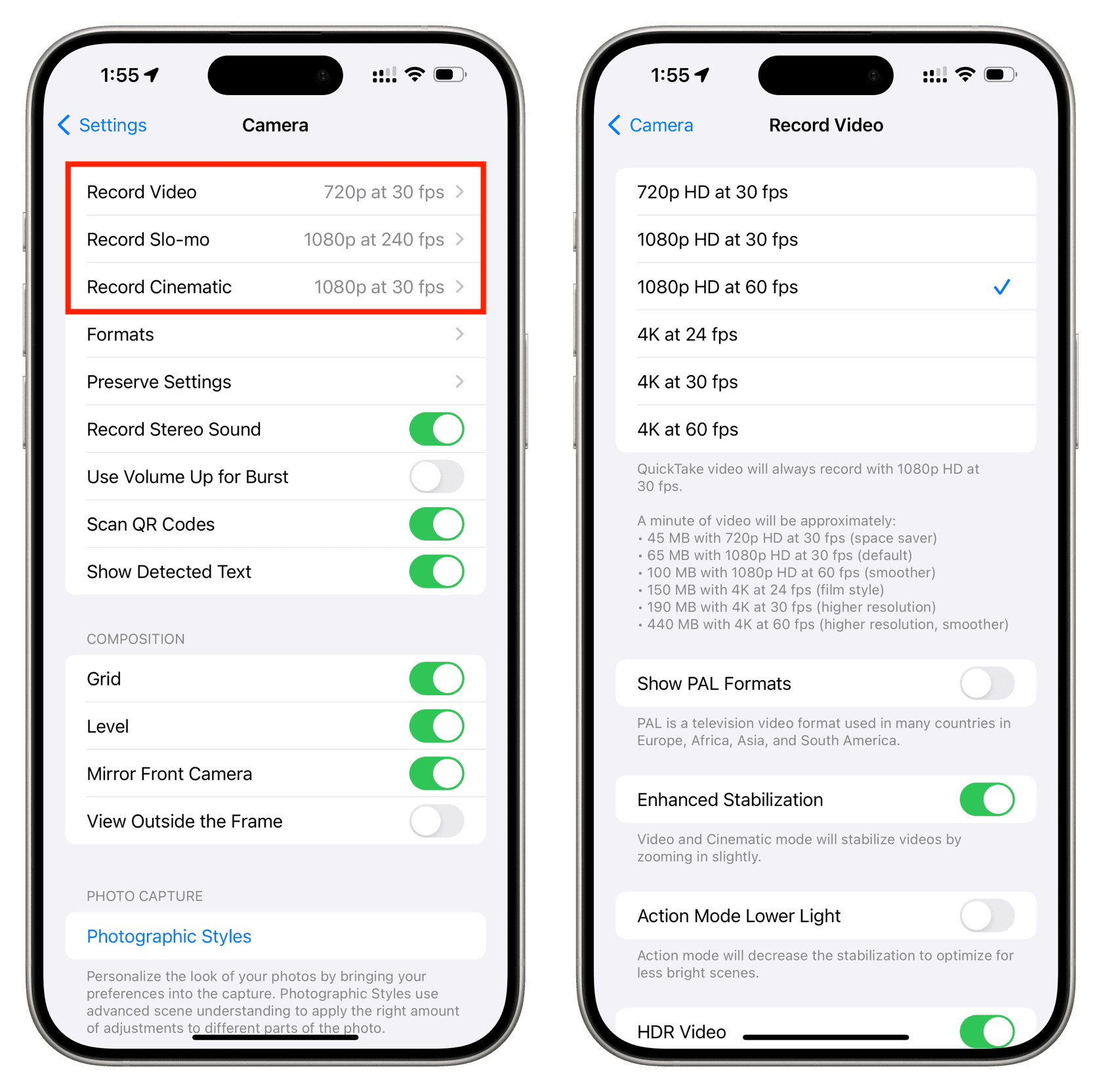
Go to Settings > Camera > Record Video.
-
Choose the resolution (720p, 1080p, or 4K) and frame rate (30 fps or 60 fps).
Adjusting these settings allows you to tailor your video quality based on your storage capacity and the type of video you want to create.
Android (Samsung Galaxy Series)
-
Open the Camera app and swipe to Video mode.
-
Tap on the gear icon to access settings.
-
Select the Resolution option and choose between 1080p, 4K, or even 8K, depending on your device.
With Android devices, you often have additional options for frame rates and other advanced settings, allowing more control over your video quality.
Choosing the Right Video Resolution for Your Needs
Selecting the right video resolution depends on several factors, such as the purpose of your video, available storage, and the device you’re using. Here’s a quick guide to help you choose:
-
Casual Use: If you’re recording everyday videos for social media or personal memories, 1080p is usually more than enough. It provides a great balance of quality and file size.
-
Content Creation: For vloggers, YouTubers, and social media influencers, 4K resolution is ideal. It ensures your content looks great across various platforms and provides flexibility for post-editing.
-
Professional Filmmaking: If you’re creating content for large-scale distribution or need the highest quality for large screens, 8K is the way to go. However, ensure you have the necessary hardware to handle the large file sizes and editing demands.
FAQs About Smartphone Video Resolution
Q1: What video resolution should I use for YouTube?
For YouTube, 1080p is generally sufficient for most content. However, if you want to create high-quality videos that stand out, 4K is recommended.
Q2: Does 4K video recording use more storage?
Yes, 4K video files are significantly larger than 1080p videos, so they can take up a lot of storage. Make sure your smartphone has enough free space before recording in higher resolutions.
Q3: What is the difference between 30fps and 60fps?
30fps (frames per second) is standard for most videos, offering smooth motion. 60fps provides even smoother video, ideal for action shots or capturing fast-moving objects.
Q4: Can I edit 4K videos on my smartphone?
Yes, many smartphones with 4K recording capabilities also have editing apps that allow you to trim, crop, and enhance your videos directly on the device.
Conclusion
Understanding video resolution is essential for anyone who wants to make the most of their smartphone camera. Whether you’re creating content for social media, professional projects, or personal memories, knowing which resolution to use can dramatically improve your video quality. Choose the right resolution based on your needs, and enjoy the flexibility of today’s advanced smartphones in capturing stunning video. With options ranging from HD to 8K, there’s a resolution for every type of video creator.